

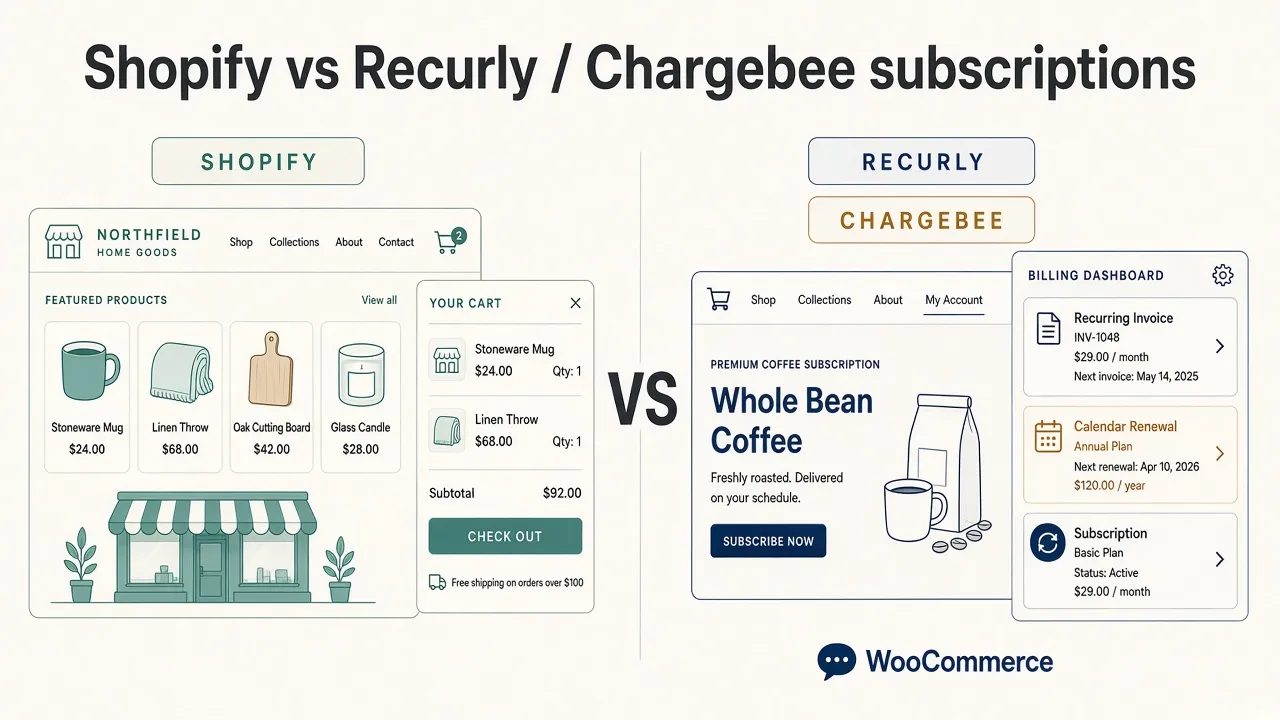
WooCommerce vs Shopify for subscriptions is not a storefront contest. Shopify is a hosted shop with subscription apps. Recurly Integration and Chargebee Integration keep WooCommerce as the storefront and Recurly or Chargebee as the billing engine—plans, invoices, renewals, and dunning—without migrating the WordPress site to Shopify.
If you need a new retail shop by Friday, Shopify is simpler. If you already sell on WordPress and the product is billed until the customer cancels, stay on WooCommerce and connect Recurly or Chargebee at checkout.
What is the difference between Shopify and WooCommerce for subscriptions?
Shopify bundles catalog, checkout, payments, and themes. Recurring billing is an add-on (Shopify subscriptions or a third-party app).
Recurly Integration and Chargebee Integration do the opposite split:
- WooCommerce keeps the cart, theme, and My Account.
- Recurly or Chargebee keeps plans, invoices, renewals, and dunning.
- The plugin creates the subscription at checkout. Recurly.js or Chargebee.js tokenizes the card on the WooCommerce checkout page. Card data never hits WordPress.
That is the design, not a workaround. Recurly and Chargebee remain the system of record after the first purchase.
Why keep WooCommerce instead of moving to Shopify?
Moving a WordPress site to Shopify means a new theme, new checkout, new customer accounts, and usually a catalog and SEO migration.
These plugins install on the WooCommerce store you already run:
- Connect Recurly under WooCommerce → Settings → Recurly, or Chargebee under WooCommerce → Settings → Chargebee.
- Create a Recurly Subscription or Chargebee Subscription product. On save, Recurly Integration creates the Recurly plan; Chargebee Integration creates Catalog 2.0 item
wc-{product_id}and item pricewc-{product_id}-{CURRENCY}. - Enable the Recurly or Chargebee payment gateway. Shoppers check out on WooCommerce; Recurly or Chargebee bills renewals.
Setup walkthroughs: how to connect Recurly to WooCommerce without Zapier and Chargebee Catalog 2.0 vs a WooCommerce sync layer.
How Recurly and Chargebee work with WooCommerce
Recurly and Chargebee are built for subscription billing: trials, term length, auto-renew, invoicing, dunning, and multi-currency. Shopify can sell subscriptions. It is still a retail platform with a subscription app attached.
On WooCommerce:
- Recurly.js sits on checkout for Recurly Subscription products. Logged-in customers cancel at period end or reactivate from My Account → Manage Subscriptions.
- Chargebee.js (or Chargebee hosted checkout) sits on checkout for Chargebee Subscription products. Customers can also open the Chargebee customer portal from My Account.
Storefront work stays in WordPress (theme, posts, SEO, memberships, downloadable files). Billing ops stay in Recurly or Chargebee. WooCommerce orders store the Recurly or Chargebee IDs so support can open the right subscription.
You also stay off Shopify’s plan and transaction fees. Hosting, WooCommerce, Recurly or Chargebee, and a Munjr license is a different cost shape. The structural win is optionality: change theme, host, or billing vendor without leaving the store.
Already on Recurly vs already on Chargebee: Chargebee vs Recurly for WooCommerce.
When is Shopify better than WooCommerce for subscriptions?
Shopify is the simpler answer if the problem is “I need an online shop”—inventory, shipping, POS, Shopify Payments. Recurly Integration and Chargebee Integration are not a Shopify replacement, a theme kit, or a retail POS.
Choose Shopify when you are starting a retail storefront from zero. Choose WooCommerce with Recurly or Chargebee when recurring revenue is the product and the site is already WordPress.
Recurly Integration vs Chargebee Integration
The plugins are not interchangeable. Recurly Integration talks to Recurly. Chargebee Integration talks to Chargebee Catalog 2.0.
| Recurly Integration | Chargebee Integration | |
|---|---|---|
| Checkout | Recurly.js Elements | Chargebee.js Elements or hosted checkout |
| Catalog | Recurly plan wc-{product_id} on product save | Catalog 2.0 item and item price on product save |
| After signup | Recurly invoices, renewals, dunning | Chargebee invoices, renewals, dunning, customer portal |
| Price | $29/month or $249/year | $29/month or $249/year |
One site per subscription, 30-day refunds.
FAQ: WooCommerce vs Shopify for Recurly and Chargebee
Does Recurly Integration replace WooCommerce?
No. WooCommerce stays the cart, theme, and My Account. Recurly runs plans, invoices, and dunning.
Does Chargebee Integration replace Shopify?
No. It is a native WordPress / WooCommerce gateway for merchants who already use Chargebee Catalog 2.0. It is not a Shopify app.
Can I connect Recurly to WooCommerce with Zapier instead?
You can copy orders after the fact. That is not Recurly.js on checkout, and renewals still live in a different system than the storefront. Use the native Recurly gateway.
Which should I buy if I have not chosen Recurly or Chargebee yet?
Pick the billing engine first, then the matching plugin. See Chargebee vs Recurly for WooCommerce.